

 4 days ago
6
4 days ago
6
ARTICLE AD BOX
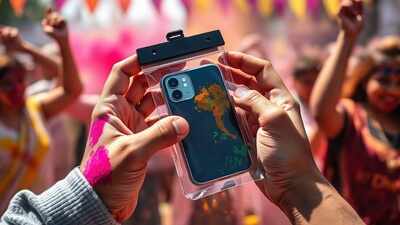
Holi, the festival of colours is here. Celebrations with colours and water are set to take over streets and homes across India. While the festival brings joy and fun, it also comes with a potential risk to smartphones and other electronic gadgets.
Although most devices come with IP rating these days, it is no harm in taking a precautionary measure, considering risk factors like stain due to coloured powders (gulal( and accidental drops. From using waterproof phone covers to keeping gadgets away from direct exposure, a little preparation can help keep your devices safe during the festivities. Here’s a quick look at tips and tricks to keep your smartphones and gadgets safe this Holi.
Holi Gadget tips: How to protect your devices
Tip 1. Use zip-lock covers
One of the easiest ways to protect your device from water splashes and coloured powder is by using a waterproof or zip-lock style phone pouch. Dry colours or even water can enter the charging port and speaker grilles, and damage the device internally. Liquid colours can cause more damage. Thus, it is advisable to keep your phone or device in a secured, water-proof pouch.
Tip 2. Avoid taking gadgets to wet zones
If possible, avoid carrying smartphones, smartwatches, earbuds or tablets into areas where water balloons and coloured water are being thrown.
Keep them indoors or in a secure bag.
Tip 3. Use screen protectors and cases
A sturdy back cover and tempered glass screen protector can reduce the risk of scratches and cracks if your phone slips from your hand during celebrations. Therefore, it is advisable to use a good quality screen protector and case. If you already have one, it is better to replace it with a new, sturdy one.
Tip 4. Keep power banks and chargers safe
While we take care of our smartphones, chargers and charging cables often get ignored. Therefore, it is important to keep charging cables and power banks secure by avoiding the exposure to moisture. Remember that water can damage internal circuits and create safety risks.
Tip 5. Backup important data
Before heading out to celebrate, back up your important photos, contacts and files. This is just a precautionary step in case things go south, ensuring that the data remains safe.
What to do if you accidentally drop your smartphone in water
If your phone gets wet,
- Turn off your smartphone immediately
- Remove excess water by shaking it sideways
- Do not charge it until it is completely dry
- Pat dry with a soft cloth
- Place your device in a well‑ventilated area, upright







 English (US) ·