

 1 hour ago
5
1 hour ago
5
ARTICLE AD BOX
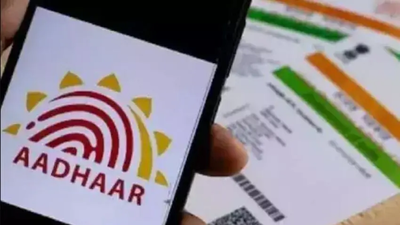
Aadhaar address updates have long been one of the more frustrating bureaucratic hurdles in India. The standard process requires you to submit proof of address in your own name, which sounds straightforward until you realise how many people simply do not have it.
Renters living in a landlord's property, students staying in a hostel or relative's home, newlyweds who have moved after marriage, and young professionals in a new city all face the same problem. The address they actually live at cannot be proved with a document that carries their name. UIDAI has a solution for exactly this situation, and it does not require a single document in your name. It is called the Head of Family method, and it lets you update your Aadhaar address using a family member's details and their consent, processed entirely through the mAadhaar app.
No paperwork. No physical visit to an enrolment centre. Just a smartphone, a family member willing to approve the request, and a one-time fee of Rs 75.
Who can use this method
The Head of Family approach works for immediate family members, including spouses, children, parents, and siblings, as long as the head of family has a valid Aadhaar registered at the address you want to update to. Both you and the family member need to have your mobile numbers linked to your respective Aadhaar cards, as the process involves OTP verification at both ends.
Here is how to do it step by step
Open the mAadhaar app on your smartphone and log in using your four-digit app PIN. If you have not set up the app yet, you will need to register your Aadhaar and create a PIN before proceeding. Once you are on the home screen, tap Services and then look for the Address Update option within the menu.The app will send an OTP to your Aadhaar-linked mobile number. Enter it to verify your identity and proceed. Once verified, you will be prompted to enter the Aadhaar number of your head of family, the family member whose address you want to adopt as your own.
You will also need to specify your relationship to that person from the options provided in the app.The next step is face authentication. The app will use your phone's camera to verify your identity biometrically. This step replaces the document submission that the standard address update process requires, which is precisely what makes this method accessible without paperwork. Make sure you are in a well-lit space and that your face is clearly visible to the camera when completing this step.After face authentication, you will be directed to pay the Rs 75 processing fee through the available payment options within the app. This fee is non-refundable regardless of whether the request is ultimately approved or rejected, so make sure all the details you have entered are accurate before completing the payment.Once payment is done, the request moves to the head of family for approval. The family member will receive a notification in their own mAadhaar app and must log in and approve the request from their end.
Without their approval, the update cannot proceed, which is an important security measure that ensures address updates through this method cannot happen without genuine consent.
A few things to keep in mind
This is a complete app-based process which means that both you and your family member need smartphones with the mAadhaar app installed along with an active Aadhaar-linked mobile numbers. If any one of you does not have a number linked to Aadhaar, then the OTP step will fail and the process will not move ahead.
Also, the fees of Rs 75 is non-refundable even if the head of the family decline to approve the request or the request gets rejected due to any technical reason.
So, it is always important to double-check the Aadhaar number and relationship before making the final payment. The processing time after the approval is of few days after which your Aadhar will reflect the updated address. For anyone who has even putting off an address update simply because they lacked a utility bill or rent agreement in their name, this method removes that barrier entirely.








 English (US) ·