

 1 hour ago
5
1 hour ago
5
ARTICLE AD BOX
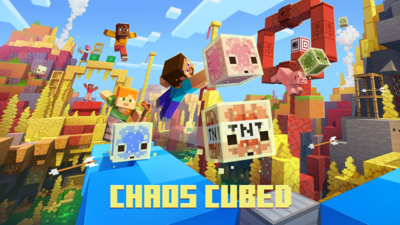
Mojang has finally released the Minecraft Bedrock 26.30 update, introducing all the features related to the Chaos Cubed game drop on all platforms. The update adds the Sulfur Caves biome, Sulfur Cube mob, new Cinnabar and Sulfur block sets, Potent Sulfur and Geysers, the Bounce music disc, and much more.You can now download and install the update on your device and enjoy all that Chaos Cubed has to offer. The new update is available on PC, Xbox, PlayStation, Nintendo Switch, and Mobile.In the section below, we provide you with a detailed guide on downloading the Minecraft Bedrock 26.30 update.
Listed below are the steps for downloading the latest Minecraft Bedrock 26.30 update:
Windows 10/11 (PC)
- Boot up the Minecraft Launcher on your PC. Once it is open, find Minecraft: Bedrock Edition in the left sidebar.
- Given that the launcher is set to automatically check and install updates, the update will automatically begin.
- However, if the update does not start, tap the drop-down menu and select "Latest Release."
Xbox One and Xbox Series X|S
- Press the guide button and navigate to My Games & Apps on your Xbox console.
- As the next step, you must find the game in your library and click the menu button.
- Then, click Manage Game, and if the update is available, it will appear in the Updates section. Select it to begin downloading.
PlayStation 4 and PlayStation 5
- Find Minecraft on your PlayStation 4 / 5.
- Press the Options button on your controller and select Check for Updates.
- After the 26.30 update is detected, the same will be added to your download queue automatically.
Nintendo Switch / Switch 2
- Launch Minecraft on your Nintendo Switch. You will then find that a notification for a new update will appear at the top.
- Select the pop-up and allow it to take you to the Nintendo eShop.
- Finally, tap on the Update button to add the download to your queue.
Android (Google Play Store)
- Open the Google Play Store and search for Minecraft.
- If the update is available, you will find an Update button. Tap it to begin downloading.
iOS (Apple App Store)
- Open the Apple App Store and search for Minecraft.
- If the new 26.30 update is available, you will see that the Update button will show up. Use the same to download and install it.
This was all you needed to know about how to download the Minecraft Bedrock 26.30 update.









 English (US) ·