

 11 hours ago
7
11 hours ago
7
ARTICLE AD BOX
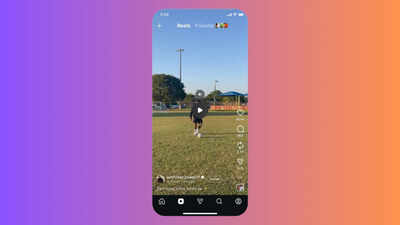
Instagram has introduced a much-needed tap-to-pause feature for Reels, ending the frustrating press-and-hold method. This update, now rolling out globally, allows users to easily stop videos to read text or examine details. A visible mute button on the paused screen also offers more audio control, enhancing the viewing experience and bringing Reels in line with other platforms.
Instagram has quietly fixed one of the more annoying things about watching Reels. The platform has rolled out a tap-to-pause feature, letting users stop a video with a single tap on the screen.
Previously, pausing a Reel meant pressing and holding—which, if you've ever tried to read on-screen text mid-scroll, you know was more frustrating than it sounds.The update also brings a visible Mute button to the paused screen, so you can cut audio without exiting the video. Instagram head Adam Mosseri shared the rollout on the platform, and the company's official Creators account on Threads framed it as giving viewers "more control, more ways to connect, and more time to enjoy the content."
Why Instagram’s new Reel feature mattersThe old press-and-hold mechanic was increasingly out of step with how other short-form platforms handle playback. YouTube Shorts has had tap-to-pause for a while, and the friction was noticeable—especially for content with dense captions, instructional steps, or fine visual detail that viewers needed a moment to absorb. Instagram has essentially caught up to what users already expected.
The feature had reportedly been in testing with a small group before the wider rollout, and some users had access to parts of it—the Mute option, for instance—before the full version went live. It's now rolling out on both Android and iOS, though availability may vary by region and app version.This comes alongside a few other recent updates to Reels. Instagram earlier this week also introduced AI-powered voice effects for direct message voice notes, with eight filters—including Chipmunk, Robot, and Underwater—that can be applied before sending. Recipients can see which effect was used and match it in their reply.The tap-to-pause update doesn't require any action from users—it will show up automatically once the rollout reaches your account.






 English (US) ·