
 1 hour ago
3
1 hour ago
3
ARTICLE AD BOX
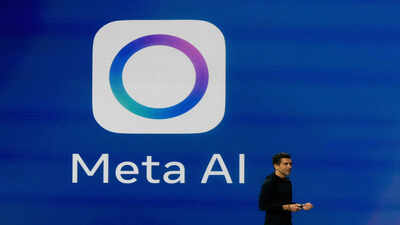
Cybersecurity firm Malwarebytes warned the tool could be used for “impersonation, scams, or other abuse.” In a blog post on its website Malwarebytes wrote that every consumer app has a settings menu that allows users to make decisions about things like notifications or Dark Mode.
Meta has just decided that anyone can generate AI images of you from your public Instagram account by typing your Instagram handle into a prompt.Earlier this week, Meta launched its AI image generation model, Muse Image. It integrates with public Instagram accounts. Now, all someone has to do is tag your account in a prompt, and they can use Meta AI to generate an image using your likeness. Not just this, according to Meta’s own policy, you won’t be notified if someone does this, making it difficult to know when or how your likeness has been used.Meta says Muse Image is meant to make AI image generation more personal by letting people reference public Instagram accounts in their prompts. That may sound fun when you’re creating images of yourself. It’s less appealing when anyone else can do the same with your account.Meta lets users opt out, but finding that setting is a task in itself. On Instagram, open Profile > Menu > Sharing and reuse. Under “Allow people to reuse your content on Instagram and with AI features at Meta,” turn off the Posts and Reels toggles.
Depending on your app version, the wording may vary, and the feature is still rolling out, starting in the US, so you may not see the setting yet.You did hope that Meta would tell you up front with a big, bold “Turn this off if you don’t want it” message when you open Instagram, but no such luck. Instagram users may also hope that the company would retroactively remove any images that someone made of you before you opted out, but that’s not happening either.Opting out only prevents future image generation. Any AI images that someone created before you switched the setting off still remain in circulation. The only mechanism that comes close to comprehensive protection is switching your account to private.
What’s big risk for Instagram users
There are privacy and security implications here. Anyone can now generate AI images based on your public Instagram profile without your knowledge, and Meta won’t notify you when it happens.
Public Instagram photos were already being harvested by attackers to create deepfakes for identity verification fraud. Giving people an official way to generate AI images based on public profiles lowers the barrier to creating synthetic images that could be used for impersonation, scams, or other abuse.Cybercriminals are already combining generative AI with automated tools to scale phishing and fraud. Muse Image makes it even easier to generate convincing images based on public identities.Meta’s AI has introduced other security issues, too. Earlier this year, researchers disclosed a “confused deputy” flaw in Meta’s AI support chatbot that let it make account changes—including changing email addresses and resetting passwords—without adequately verifying who it was talking to. Enabling multi-factor authentication (MFA) appeared to mitigate that issue.Meta also uses an opt-out approach when training its AI on European user data.
The company relies on GDPR’s “legitimate interests” legal basis to process European users’ data for AI purposes, a position that privacy group NOYB has challenged.
How Instagram users can protect themselves
* If your Instagram account is public, open Profile > Menu. Under “How others can interact with you” tap Sharing and reuse, then turn off the Posts and Reels reuse settings under “Allow people to reuse your content on Instagram and with AI features at Meta.”
Turning off these reuse settings only prevents future AI image generation and reuse. It won’t remove AI-generated content or remixes that already exist.* Turn on MFA for all your Meta accounts. It’s one of the simplest ways to protect your account if your password is compromised.* If you want the strongest protection Meta currently offers, switch your Instagram account to private. It's the best solution as it prevents strangers from using your public profile as


 English (US) ·