

 1 hour ago
3
1 hour ago
3
ARTICLE AD BOX
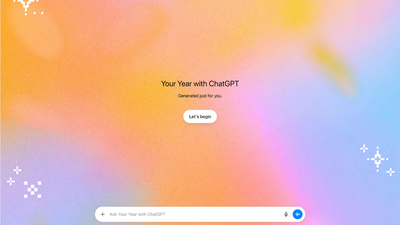
OpenAI's 'Your Year with ChatGPT' offers a personalized 2025 review, detailing usage statistics, unique pixel art based on chat topics, and custom awards. Users can discover their chat archetypes and see their most discussed themes. The feature requires specific settings enabled and is accessible via the sidebar or by asking the chatbot.
OpenAI has introduced "Your Year with ChatGPT," a personalized annual review that summarizes how users interacted with the AI chatbot in 2025. The feature delivers usage statistics, AI-generated pixel art, and custom awards based on conversation patterns—offering users a colorful breakdown of their year spent chatting with the platform.Available now to Free, Plus, and Pro users, the recap assigns users personalized "archetypes" such as "The Navigator" or "The Producer." It also hands out themed awards like "Instant Pot Prodigy" or "Creative Debugger" that reflect what users talked about most throughout the year.
How to get your ChatGPT Year in Review
Users must have "reference saved memories" and "reference chat history" enabled in their settings and meet a minimum conversation activity level.
You'll find the option in ChatGPT's sidebar—click it to launch your personalized recap. Alternatively, you can trigger it by asking the chatbot to "show my year in review." It's entirely optional and won't launch automatically. Team, Enterprise, and Education accounts don't have access to this feature.
AI-generated images and stats showcase your chat habits with ChatGPT
The review creates unique pixel art combining your most-discussed topics—whether that's cooking techniques, tech troubleshooting, or creative projects.
Beyond the visuals, you'll see metrics like total messages sent, your busiest chat day, dominant conversation themes, and a breakdown of your chatting style.OpenAI emphasizes the privacy-focused approach, giving users complete control over their data and memories. The feature is rolling out gradually and may not be immediately available to all eligible users. Once opened, the recap remains accessible as a regular ChatGPT conversation.









 English (US) ·