

 1 week ago
9
1 week ago
9
ARTICLE AD BOX
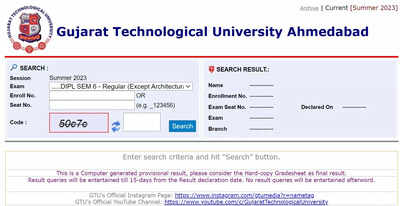
GTU Diploma Result 2026 (File photo used for representational purposes only)
Gujarat Technological University (GTU) has released the Winter session examination results for a wide range of undergraduate, postgraduate and diploma programmes on its official website.
The results cover regular, remedial as well as re-check and reassessment examinations conducted during the Winter session.Students who appeared for the December examinations can access their results online through the official portal at gtu.ac.in by entering their enrolment or seat number. However, the website was reported to be temporarily inaccessible at the time of release due to heavy traffic.Results announced for multiple programmesThe university has declared results for several courses, including BE, MCA, PharmD and various diploma and professional programmes.
Other programmes covered in the release include PDDDM, BS, PDDC, PR, DV, BV, BH, BI, IM, BPH, CS, BA, IC, DIPL, DS and DPH, among others.The results have been made available in digital format, allowing candidates to download and save their scorecards for future reference. Students are advised to check all details mentioned in the result carefully to avoid discrepancies.Website access issues reportedSoon after the results were published, many students experienced difficulty accessing the official website.
The server slowdown was attributed to a large number of users attempting to check their scores simultaneously.Candidates who are unable to access the portal immediately have been advised to try again after some time or use the direct result page link available at https://www.gtu.ac.in/result.aspx once the website becomes stable.Steps to check the result onlineTo download the result, students need to visit the official website and navigate to the ‘Exam’ section.
From there, they must select the ‘Result List’ option and choose their respective course.After entering the enrolment number or seat number along with the security code, the result will appear on the screen. Students should download and save the PDF copy for record purposes.What students should verifyAfter downloading the scorecard, candidates should check personal details, subject-wise marks and result status. In case of any error or mismatch, they must contact the university’s examination authority immediately for correction.The online result will serve as the provisional record until official documents are issued by the university.






 English (US) ·