

 1 hour ago
2
1 hour ago
2
ARTICLE AD BOX
The UK is moving towards a fully digital immigration system, with eVisas set to replace all physical visa stickers by 2026, according to updated guidance from UK Visas and Immigration (UKVI).
Visit this official page for more details and clarity. The transition is already underway, with phased changes beginning in January 2026 and earlier cut-off dates for certain visa categories.
What is changing from January 12, 2026
From 12 January, most people granted a UK visit visa, along with some other visa types, will be issued an eVisa alongside a physical visa sticker. This marks an interim phase as the UK shifts away from paper-based proof of immigration status.
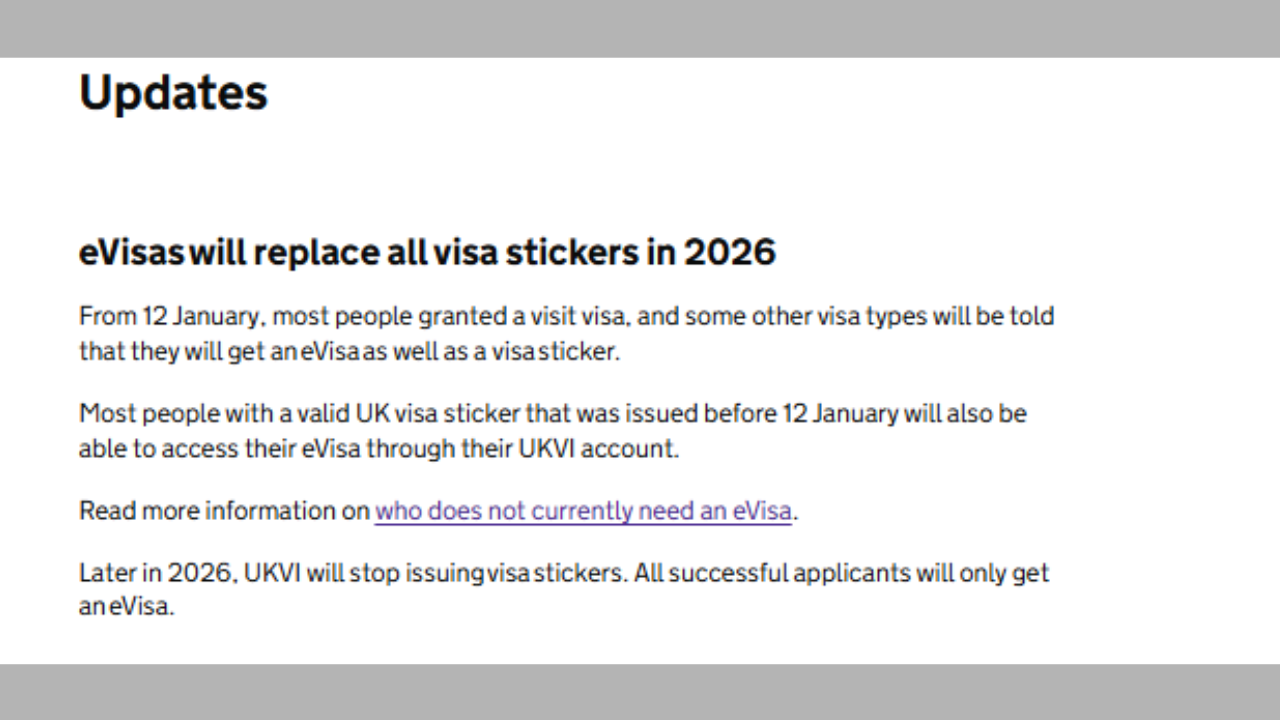
In addition, most people who already hold a valid UK visa sticker issued before 12 January will also be able to access their eVisa through a UKVI account, allowing them to view their immigration status digitally.UKVI has said that later in 2026, it will stop issuing visa stickers altogether, meaning all successful applicants will receive only an eVisa.
New rules for applications from October 30, 2025
A key milestone in the transition comes earlier for certain applicants.
If you or your dependents have already applied on or after 30 October 2025 for specific work, study, family visas, or indefinite leave to enter (settlement), you may not receive a visa sticker at all.
Instead, successful applicants will need to access their immigration permission through their UKVI account before travelling to the UK. Applicants will be informed whether they will receive a visa sticker and how to access their eVisa once a decision is made.Notably, eVisas have already replaced visa stickers for some main applicants on work and study visas submitted on or after 15 July 2025.Read more: Canada issues travel advisory, flags ‘Avoid All Travel’ countries: see updated list
Who can now access an eVisa
UKVI has expanded access to eVisas, allowing more people to create a UKVI account if they were:Issued a Form for Affixing a Visa (FAV)Granted a visa extension but do not have a valid identity document, such as a passport or an expired biometric residence permit (BRP)To view an eVisa, applicants must have a UKVI account. Dependants, including partners and children, must have their own individual accounts to access their eVisas.
Who is eligible for an eVisa
You can usually access an eVisa if you hold:Any visa allowing you to stay in the UK for more than six monthsSettlement in the UK (indefinite leave to remain)You can also access an eVisa for stays of six months or less if you hold:A visit, work, study or transit visaMost types of family visaApplicants are generally informed about eVisa access when they receive their visa decision.People with physical immigration documents that have no expiry date and prove settlement status can choose whether to move to an eVisa.
To do so, they must submit a ‘no time limit’ application.Read more: Entire family denied US Visitor Visa: Find out what went wrong
Who does not need an eVisa
You do not need an eVisa if you:Are visiting the UK using an Electronic Travel Authorisation (ETA)Are exempt from immigration control, including diplomats or individuals with the right of abodeHave permission to stay in the Channel Islands or the Isle of Man
How to check if you already have a UKVI account
You likely already have a UKVI account if you have previously:Used the UK Immigration: ID Check appCreated an account during a visa applicationReplaced a physical immigration document such as a BRP or BRC with an eVisaApplied under the EU Settlement SchemeUKVI advises that people should not create a second account.
Those unsure can attempt to sign in to view their eVisa.
Creating a UKVI Account
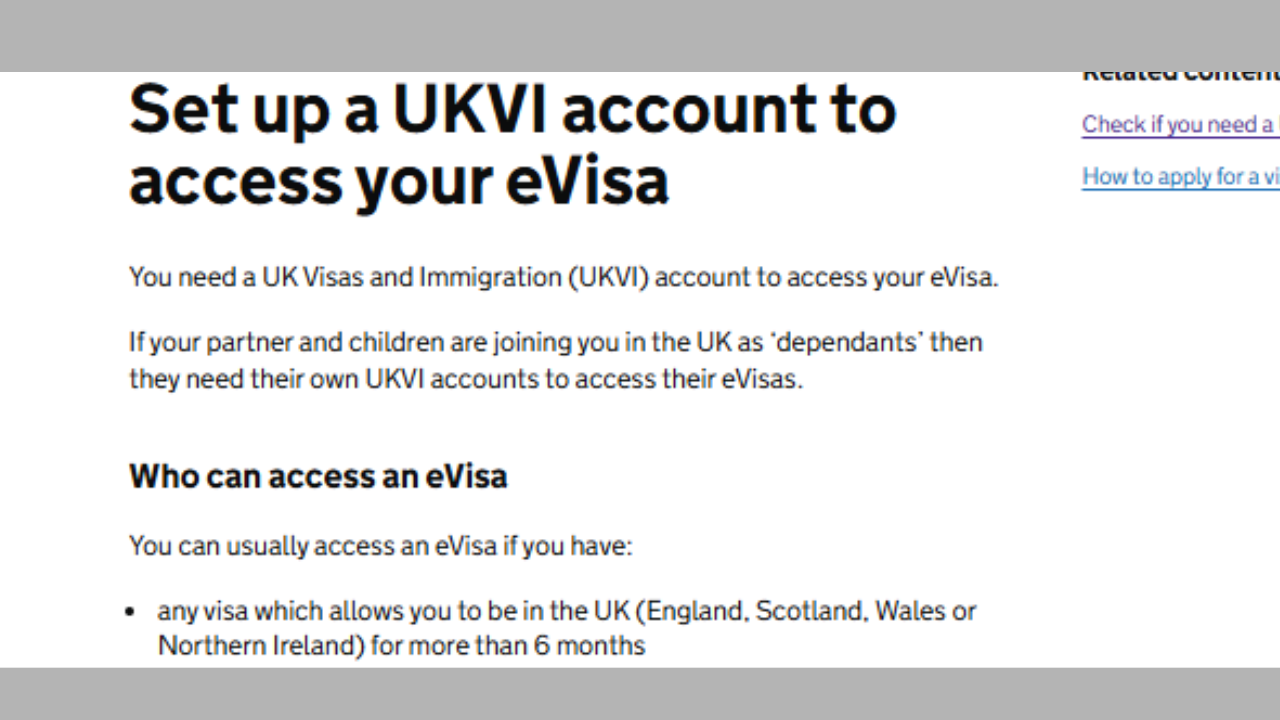
To create an account, applicants need:A valid email address and phone numberOne of the following, if available:A valid passport and visa application number (GWF or UAN)A valid passport and BRP numberAn expired BRP card (usable for up to 18 months after expiry)After account creation, users must confirm their identity and link the account to their eVisa. This usually requires a smartphone to install an identity verification app, although alternative verification methods are available for those without access to a passport, BRP, or smartphone.






 English (US) ·